
AETHON trade panel · MT5
Aethon Risk Manager Pro
A trading desk built around your decisions
Aethon Risk Manager Pro gives manual MetaTrader 5 traders a practical way to plan, size and manage positions from the chart. You choose the trade. The software translates the plan into position size, executes the order and applies the management features you enable. For traders seeking a premium MT5 utility, its attraction is control over a repeated process: deciding where the trade is wrong, choosing the amount to risk and setting the rules for what happens after entry.
This is a trade-management tool with no entry strategy of its own. It does not scan the market and independently select profitable trades. That distinction is useful when comparing products in the Aethon range. Crest, Flux, Virtue, Prince and Pulse contain entry logic; Risk Manager Pro supports the trader's own decisions. Its value should be assessed through the clarity of its planning tools and the execution of configured management rules, rather than a profit figure borrowed from someone else's strategy.
Blueprint puts the plan on the chart
Blueprint represents entry, stop-loss and target with draggable chart lines. It also draws stake and payoff zones to scale. This gives the trader a visual way to review the intended setup before placing an order. Moving a planned stop changes the structure of the trade, so seeing the levels together can make it easier to notice a mismatch between the desired entry, the available target and the amount being committed. The feature provides a planning interface, while the trading judgement remains yours.
A chart-based plan can be particularly useful when a trader normally moves between a calculator and the order window. Risk Manager Pro brings those steps into one workflow. The user can inspect the levels and sizing information before execution, rather than relying on memory while typing values into separate fields. This does not make a weak setup stronger, but it gives a sound setup a more consistent route from analysis to order placement. That is the practical benefit the product is designed to deliver.
Caliper connects risk and position size
Caliper calculates position size from the chosen risk, displaying percentage and cash values together. Its settings allow the risk basis and the field driving sizing to be selected. The reviewed source includes balance-based percentage risk, a cash-risk amount and a fixed-lot alternative. Showing money and percentage together helps the trader understand the relationship between the account and the planned position, rather than treating a lot size as meaningful without reference to the stop distance or available capital.
For example, 1% of a $10,000 balance is $100. That is an arithmetic illustration, not a backtested result or a recommended setting. The lot size associated with a cash amount depends on the instrument, stop distance and broker's contract specification. Volume minimums and increments also affect the order that can actually be placed. Risk Manager Pro's sizing workflow should therefore be checked on the intended symbol and account. A percentage displayed on screen should be read with the underlying execution assumptions.
Anchor manages the move toward breakeven
Anchor is the breakeven feature. Once a trade reaches the configured favourable distance, it can move the stop to a specified offset around the entry. The reviewed settings expose both the activation distance and the amount to lock. This allows the trader to choose when the original stop should change and how much room to leave. The feature automates a management decision that would otherwise require watching the position and manually editing the stop at the right time.
Breakeven does not mean a trade is guaranteed to finish without a loss. Commission, swap, slippage and the relationship between the configured offset and trading costs can affect the net outcome. A market gap can also alter the execution price. The useful promise is narrower and concrete: Anchor applies the configured stop-management rule when its conditions are met. Users can inspect that behaviour in a controlled test and decide whether the chosen timing fits their method of trading.
Drift follows a favourable move
Drift provides trailing-stop management with a minimum adjustment step. Its settings include the trailing distance, the step between updates and an option to trail only while a position is profitable. Those controls let the trader describe how closely the stop should follow price and how frequently it should be adjusted. This makes the feature more specific than a single trailing toggle, while still leaving the choice of an appropriate distance to the person using the tool.
The distance and step should be considered together. A very tight trailing distance can exit a position during ordinary price movement, while a wider one leaves more of a favourable move open to retracement. Risk Manager Pro does not determine the correct compromise for every strategy. It provides the mechanism for applying the chosen rule consistently. That can reduce the need for repeated manual edits, particularly when the trader is managing several positions, but the resulting exit remains subject to broker execution.
Harvest handles two staged partial closes
Harvest offers two partial-close stages measured against the original position volume. The trader can set activation distances and the percentage to close at each stage. This provides a defined way to realise some of a favourable move while retaining the remaining exposure. It can suit a method that normally takes a first partial exit and leaves a smaller position running. Both stages are optional and should be enabled deliberately; the reviewed source defaults do not automatically activate them.
As an illustration, closing 50% and then 25% of an original one-lot position would leave 0.25 lots if both stages execute as intended. That example explains the arithmetic of original-volume percentages, not the tool's profitability. Real orders must respect the broker's permitted minimum and volume increments. Traders should also consider how partial closes interact with commission and the stop on the remaining position. A staged exit is a management preference, not evidence that the entry has an advantage.
Bulwark adds account-level thresholds
Bulwark provides daily loss and gain circuit-breaker settings. The reviewed source allows the threshold unit to be selected, with options related to order cancellation and alerts. These controls help the trader define when activity should be curtailed according to the configured account measure. They are especially relevant to a trader who already has a daily stopping rule but finds it difficult to enforce manually after a run of losses or after reaching a planned gain.
These thresholds are intended management instructions, not guaranteed caps on realised losses. The timing of evaluation, open exposure and available execution prices all matter. Users should check which trades fall within the tool's management scope before enabling account-level actions. The source includes a setting to manage all trades, so that choice deserves attention when several EAs or manual methods share one account. A clear scope makes it easier to avoid applying a rule to positions the trader intended to manage separately.
Sweep and configurable execution
Sweep provides quick closing controls by side or by result. This can simplify tasks such as closing selected buy exposure or dealing with profitable and losing positions separately. The execution settings also expose permitted deviation, a commission input and an optional maximum lot size per order. Pip handling can use an automatic definition or a custom size. These details matter when a tool is used across instruments with different quoting conventions and contract specifications.
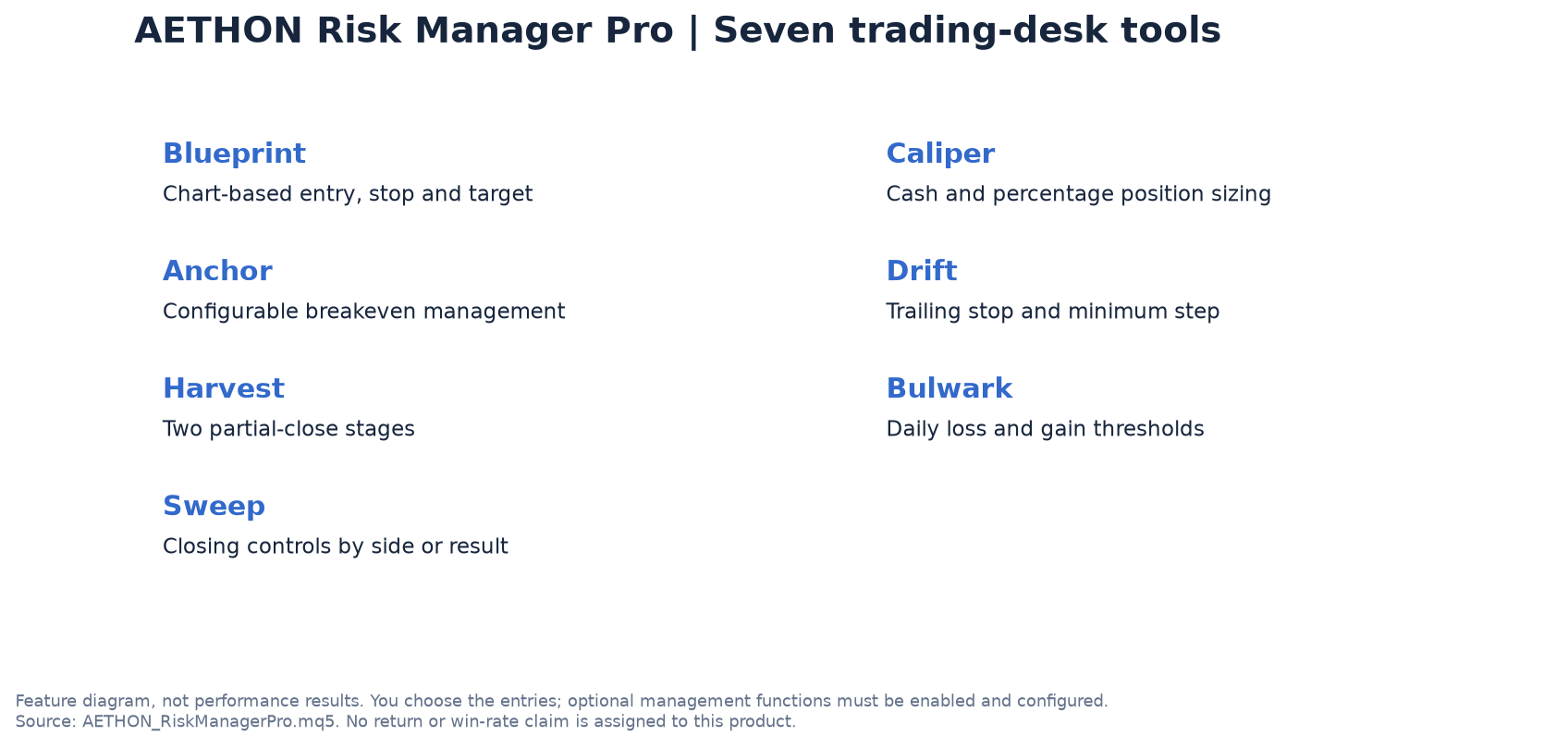
Risk Manager Pro's seven named tools are Blueprint, Caliper, Anchor, Drift, Harvest, Bulwark and Sweep. Harvest contains two scale-out stages. These are verified feature counts, not performance statistics. No standalone return, profit factor or winning percentage is assigned to this product because it has no entry strategy. Its commercial proposition is a more deliberate manual trading workflow, supported by configurable automation after entry. Review the exact build, practise its controls on a demo account and choose the management rules that match the method you intend to execute.
Interested in Aethon Risk Manager Pro?
Tell us your broker and account size. We'll reply with the price, the recommended settings and a licence key for your MT5 account number.